What is exactly home server?
A Simple Guide for Beginners
You may have heard people talk about running their own “home server” to store family photos, stream movies, or host a personal website. But what exactly is a home server, and do you actually need one?
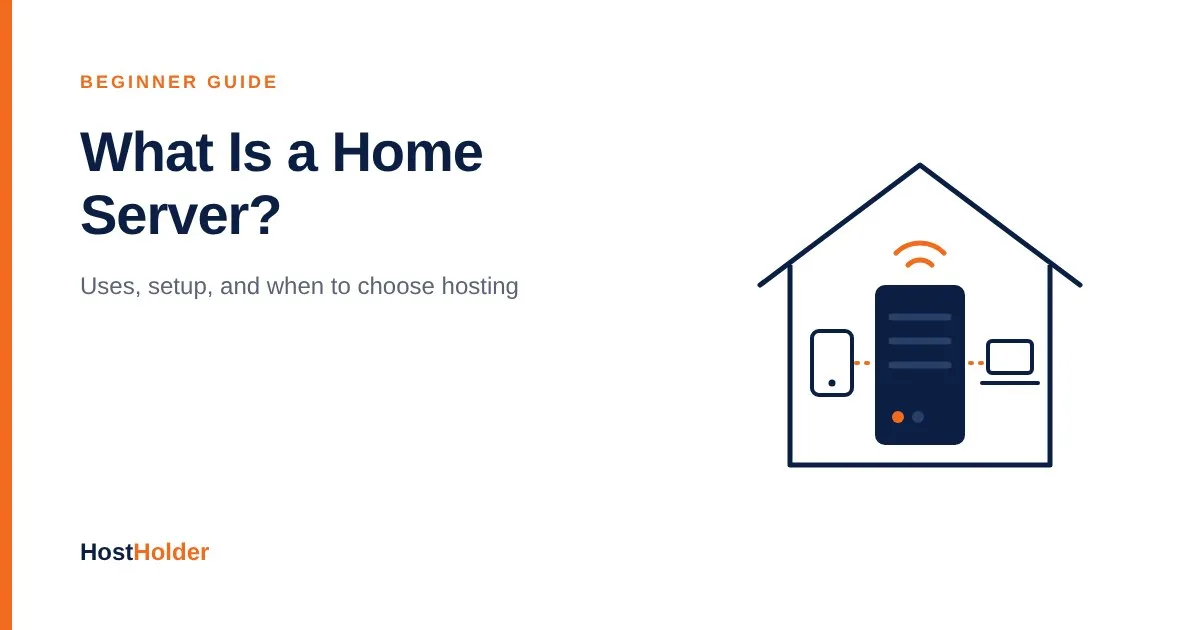
In simple terms, a home server is a computer in your home that runs all the time and provides services to other devices on your network, such as phones, laptops, smart TVs, and sometimes users on the internet.
In this guide, we will explain what a home server is, what it can do, what you need to build one, and when a professional hosting service is the better choice.
What Is a Home Server?
A server is a computer that “serves” data or services to other devices. When you open a website, stream a video, or check your email, a server somewhere is sending that information to you.
A home server works the same way, but on a smaller scale. Instead of sitting in a data center, it sits in your home, often on a shelf, under a desk, or next to your Wi-Fi router.
A home server can be:
An old laptop or desktop computer you no longer use
A small, low-power mini PC
A single-board computer such as a Raspberry Pi
A NAS (Network Attached Storage) device built mainly for storing files
A dedicated server machine built for home use
The hardware matters less than the job it does. Any computer that stays on and provides services to other devices can work as a home server.
How Does a Home Server Work?
A home server connects to your home network through your router, usually with an Ethernet cable for a stable connection. Other devices on the same network can then access the services it runs.
For example:
You save a photo from your phone to a shared folder on the home server.
The server stores the file on its hard drive.
Later, you open the same photo from your laptop or smart TV, because all of them can reach the server over your home network.
Most home servers run continuously, 24 hours a day, so their services are always available when you need them.
What Can You Do With a Home Server?
1. Central File Storage and Backups
You can store documents, photos, and videos in one place instead of spreading them across several devices. Many people also use a home server to automatically back up their computers and phones.
2. Media Streaming
With media server software, you can organize your movies, music, and TV shows and stream them to your phone, laptop, or smart TV anywhere in your home.
3. Personal Cloud Storage
Self-hosted cloud software lets you build your own private alternative to services like Google Drive or Dropbox, so your files stay on hardware you control.
4. Network-Wide Ad Blocking
Some home servers run DNS-based ad blockers that block ads and trackers for every device on your network, including smart TVs and phones.
5. Smart Home Control
A home server can run home automation software that connects and controls smart lights, cameras, sensors, and other devices from one dashboard.
6. Learning and Testing
Developers, students, and IT learners often use home servers to practice Linux, test websites, run databases, or experiment with virtual machines and containers.
7. Hosting a Small Website
Technically, you can host a website from a home server. However, this comes with real limitations, which we cover in a later section.
What Do You Need to Set Up a Home Server?
1. Hardware
Start with whatever you have. An old computer is enough for file sharing and learning. For media streaming or running many services, choose a machine with a better processor, more RAM, and enough storage.
Because a home server runs all day, power consumption matters. Low-power mini PCs and single-board computers are usually cheaper to run over time than an old desktop.
2. Storage
Plan enough hard drive or SSD space for your files. If your data is important, consider using two or more drives so that a single drive failure does not wipe out everything.
3. Operating System
Popular choices include:
Linux (such as Ubuntu Server or Debian), which is free, stable, and widely used for servers
NAS-focused operating systems, which provide a web-based dashboard for managing storage and apps
Windows, which feels familiar but is less common for dedicated server use
4. Network Connection
A wired Ethernet connection to your router is more reliable than Wi-Fi. If you want to access your server from outside your home, you will also need to configure remote access securely.
5. Backup Power
Power cuts can corrupt data and interrupt services. A UPS (Uninterruptible Power Supply) keeps the server running for a short time and allows it to shut down safely. This is especially important in areas where load shedding is common.
Home Server vs Web Hosting: What Is the Difference?
A home server and a web hosting service both run websites and applications, but they are built for very different purposes.
Feature | Home Server | Professional Web Hosting |
|---|---|---|
Location | In your home | In a professional data center |
Internet connection | Home broadband | High-speed, redundant data center network |
Uptime | Depends on your power and internet | Backed by uptime guarantees |
Static IP address | Often not available | Included |
Security | Your responsibility | Managed firewalls and server security |
Maintenance | You handle updates and repairs | Handled by the hosting provider |
Support | None | Technical support team |
Best for | Personal use, learning, media, backups | Business websites, online stores, email |
Should You Host Your Website on a Home Server?
For learning and testing, hosting a website on a home server is a great experience. For a real business website, it usually is not the right choice. Here is why:
Power and internet outages: If your electricity or broadband goes down, your website goes offline.
Dynamic IP addresses: Many home internet connections change IP addresses, which can break access to your site.
Limited upload speed: Home connections are usually optimized for downloading, not serving visitors.
ISP restrictions: Some internet service providers block or restrict hosting services on home connections.
Security risks: Opening your home network to the internet can expose your other devices if the server is not properly secured.
Ongoing maintenance: You are responsible for updates, backups, SSL certificates, and fixing problems at any hour.
If your website represents your business, its reliability affects your reputation and sales. A professional hosting service removes these risks so you can focus on your work.
Is a Home Server Safe?
A home server can be safe if you manage it carefully. Follow these basic practices:
Keep the operating system and software updated.
Use strong, unique passwords and enable two-factor authentication where possible.
Avoid exposing services directly to the internet unless necessary.
Use a VPN or secure tunnel for remote access instead of opening many router ports.
Back up important data to a separate location, not just the server itself.
Need Reliable Hosting for Your Website?
A home server is a great tool for personal storage, media, and learning. When it comes to your business website, online store, or professional email, you need hosting that stays online without depending on your home power and internet.
HostHolder provides fast and secure hosting with NVMe storage, free SSL, 24/7 support, and local support for Bangladeshi businesses, freelancers, and bloggers.
👉 Explore hosting plans at HostHolder
Frequently Asked Questions (FAQs)
1. What is a home server used for?
A home server is commonly used for file storage, backups, media streaming, personal cloud storage, ad blocking, smart home control, and learning server technologies.
2. Can I use an old laptop as a home server?
Yes. An old laptop can work well for light tasks such as file sharing, backups, and learning Linux. Make sure it has adequate cooling and remove the battery if it will stay plugged in for a long time and the manufacturer allows it.
3. Does a home server need to run 24/7?
It does not have to, but most home servers run continuously so their services are always available. Choosing low-power hardware helps reduce electricity costs.
4. Is a NAS the same as a home server?
A NAS is a type of home server designed mainly for storing and sharing files. Many modern NAS devices can also run apps, so the line between a NAS and a general home server is often blurred.
5. Can I host a website on a home server?
Yes, but it is best suited for testing and personal projects. Business websites need the uptime, security, and speed that professional hosting provides.
6. Do I need a static IP address for a home server?
Not for use inside your home network. If you want to access it from the internet, a static IP helps, but dynamic DNS services or secure tunnels can work as alternatives.
7. How much does it cost to run a home server?
The cost depends on your hardware, storage, and electricity usage. Reusing an old computer keeps the initial cost low, while a dedicated low-power machine can reduce long-term electricity bills.
8. Is a home server better than cloud storage?
A home server gives you more control and no monthly subscription for storage, but you are responsible for maintenance and backups. Cloud services are easier to manage. Many people use both together.
Final Thoughts
A home server is simply a computer at home that stays on and provides services to your other devices. It is an excellent way to store files, stream media, protect your privacy, and learn how servers work.
However, a home server is not a replacement for professional hosting when your website or business depends on being online. Use a home server for personal projects, and trust a reliable hosting provider for the websites your customers visit.
Ready to put your website on dependable hosting? Visit HostHolder.com to find the right plan for you.